 Menu
MenuFree 1D & 2D Sheet Nesting Cut List Optimizer
Minimize material waste and reduce lumber costs with our high-performance cutting layout calculator. Designed for woodworkers, metal fabricators, and DIYers.
How it Works: Layout Optimization
A professional nesting calculator built to minimize scrap and reduce material costs. Configure stock sizes, input your parts, set saw blade kerf, and instantly generate visual cut maps.
Define Your Raw Material Stock
Specify sheet stock (4x8 plywood) or custom linear lengths to arrange cuts.
Input Your Target Parts List
Input target sizes, quantities, and grain restrictions for Cabinet parts.
Adjust Saw Blade Kerf Allowances
Specify saw blade thickness (typically 1/8") to account for material lost to dust.
Execute Your Visual Cut Map Layouts
Run server-side cutting jobs to output high-yield nested cut map diagrams.
See the Nesting Optimizer in Action
Explore the interactive dashboard built to handle complex woodworking and sheet metal fabrication cut planning.
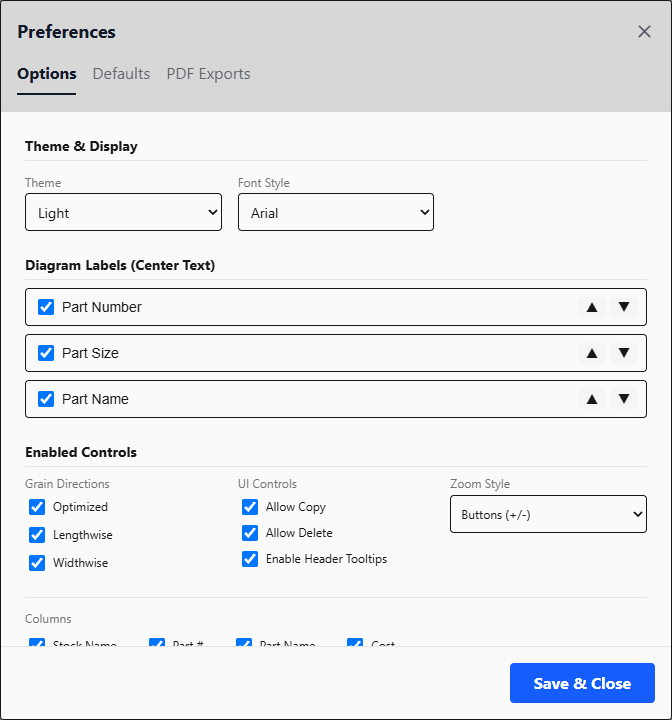
Workspace preferences: flexible
Configure default settings for dimensions, active units, and currencies. Toggle display details for cut map labels, enable edge banding, and adjust standard presets.
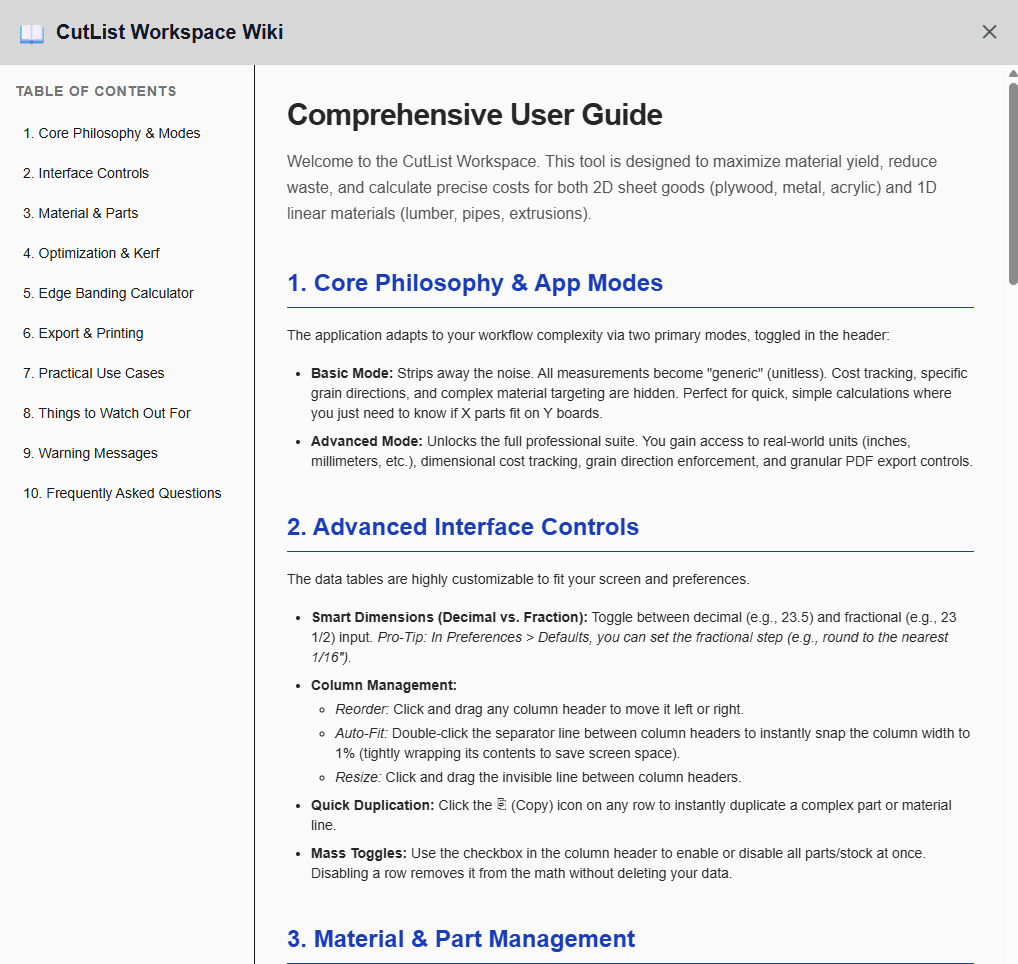
Shop handbook: integrated
Access detailed guidelines directly within the workspace. Read up on table saw safety, moisture acclimation, wood glue selection, and dust collection tips to improve your shop workflow.
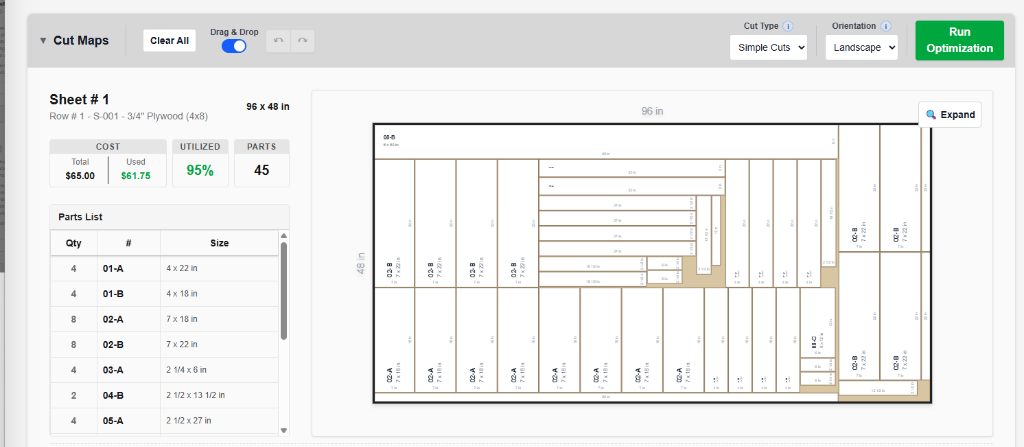
Nesting algorithms: customized
Choose from multiple cutting algorithms depending on whether you value cutting ease or maximum material yield. Specify saw blade kerf to ensure physical layout accuracy.
- Simple Cuts: Long, straight cuts; easiest to make manually on table or miter saws.
- Balanced: Blend of cutting ease and material yield.
- Max Yield: Extreme yield optimization (can result in complex cut sequences).
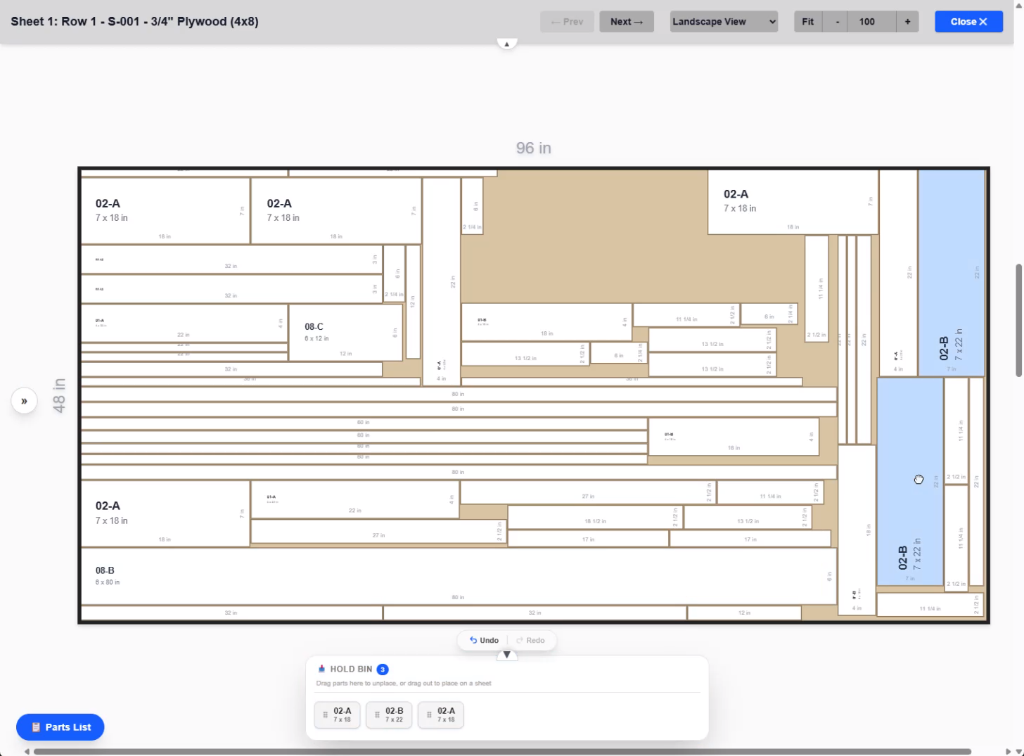
Layout editor: interactive
Fine-tune your layout results by dragging and dropping parts directly inside the cut maps. Lock coordinate coordinates, move panels between sheets, or hold elements in real-time.
Nesting features built for workshops
1D & 2D Nesting Algorithms
Plan cuts for flat sheet goods (plywood, MDF, sheet metal) and linear lengths (lumber, pipes, tubing) using optimized np-hard algorithms.
Saw Blade Kerf Allowances
Specify saw blade thicknesses (e.g. 1/8" or 3.2mm) to ensure all layouts account for sawdust waste and physical accuracy.
Wood Grain Matching
Align panels vertically or horizontally to preserve natural wood grain aesthetics for cabinet doors, veneer sheets, and drawers.
Interactive Layout Editor
Drag and drop nested parts manually inside the sheet visualizer to override placements or customize paths to fit your shop workflow.
PDF & CSV Layout Exports
Print high-resolution visual cut maps or export raw lists to CSV/JSON to organize your cut orders and share with team members.
Secure Workspace Projects
Save active project configurations securely in the cloud to load, duplicate, or adjust measurements on any shop computer.
Ready to minimize waste and save money?
Launch CutList Workspace now and get instant high-yield cutting layouts.
Launch Optimizer